How to Install a Siren 3 Security System
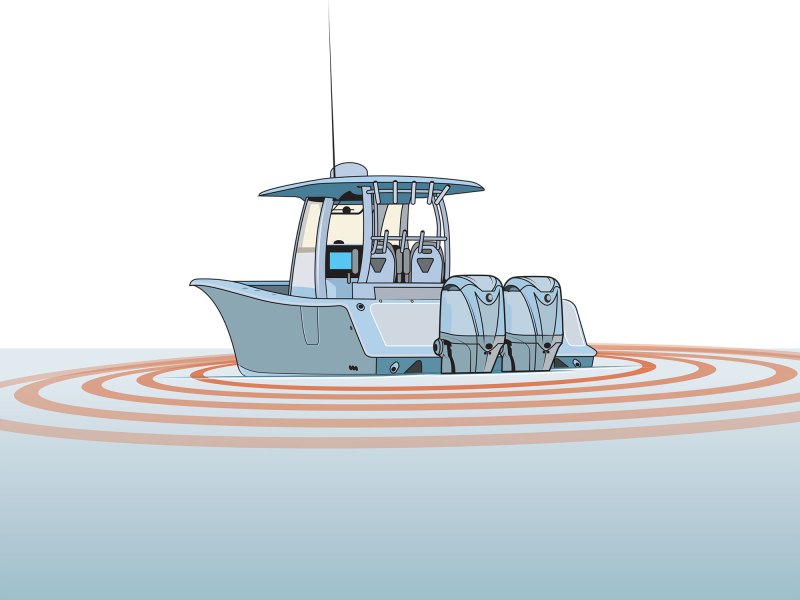 The Siren 3 Connected Boat system is even more advanced, yet easier to install on your boat.
Jim Hatch
The Siren 3 Connected Boat system is even more advanced, yet easier to install on your boat.
Jim Hatch
Monitoring your boat from afar is easier than ever, thanks to affordable, compact and simple-to-install app-based security systems from brands such as Skyhawk Oversea, Siren Marine, Vanemar and others. These can report on the condition and location of your unattended boat, no matter how many miles separate you and your vessel.
A few clicks on your mobile phone will deliver an update on your boat’s vital signs and GPS position. Most systems will immediately alert you through the app should a sensor—such as a geofence or a high-bilge-water sensor—be triggered.
Not only are prices decreasing, but the hardware is becoming increasingly compact. Many now use matchbox-size wireless sensors that eliminate much of the hardwiring from the past. Some are available as original equipment on new boats, but also as aftermarket products you can customize and install yourself.
While we have covered installation of the original Siren MTC system in the past, the compact new Siren 3 Connected Boat system is even more advanced, yet easier to install on your boat.
Once you have the Siren 3 Data Communication Module (DCM), an NMEA-2000 cable (of suitable length) with connectors, and the wireless sensors you desire (six maximum with Siren 3), you can proceed. Here’s how it went on this project.
Skill Level: 1 of 5
Finish Time: Approx. 3-4 hours
Tools and Supplies- Siren Marine 3 Connected Boat Data Communications Module ($299.99; amazon.com)
- Siren Marine 3 Wireless Sensors ($139.09 each; amazon.com)
- Marine-grade crimp-on terminal rings
- Crimping tool
- NMEA-2000 connection cable and connectors
- Electrician’s snake and pull cord (for NMEA-2000 cable)
- Power drill and drill-bit set
- Phillips screwdriver
- Wrench set (for battery terminals)
- Zip ties and zip-tie mounts (to secure cable)
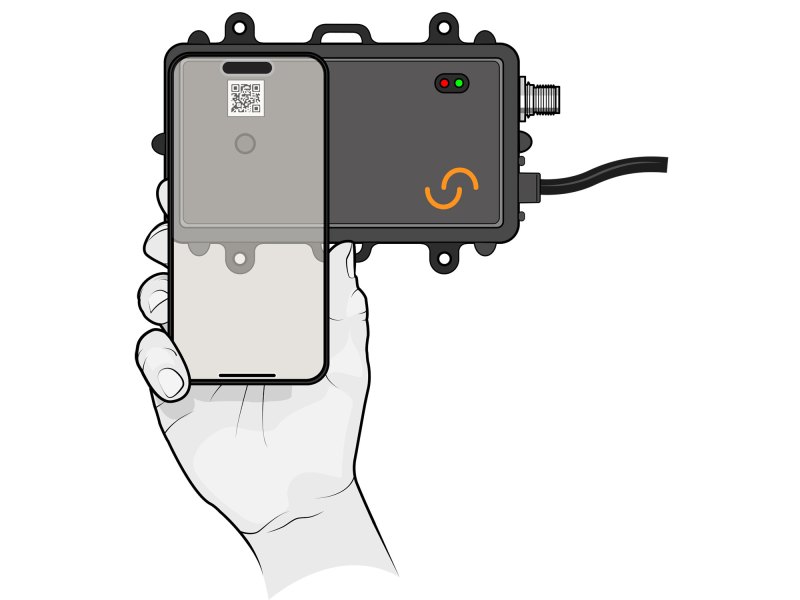 Follow the prompts to register your DCM serial number or by scanning the QR code on the unit.
Jim Hatch
Register on App
Follow the prompts to register your DCM serial number or by scanning the QR code on the unit.
Jim Hatch
Register on App
Download the free Siren Connected Boat app (for Android and Apple mobile phones). Tap “New Account Registration” at the bottom of the screen and create an account with your email address or Google or Apple sign-in. Enter profile details, agree to the conditions, and tap “Next” to create your account and pay the Siren 3 service fee (starting at $22 per month). An authentication email will confirm. Follow the prompts to register your DCM serial number or by scanning the QR code on the unit.
Tip: You can add optional information about you and your boat in the Siren app to enable a more personalized experience in the app with enhanced features and resources.
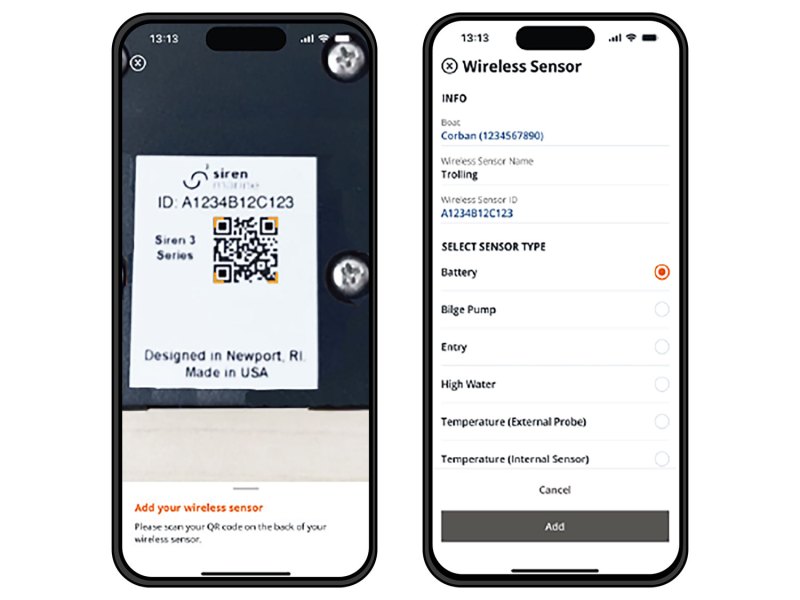 Once added, the sensor will appear on your Siren page and in your monitoring screen options.
Jim Hatch
Pair the Sensors
Once added, the sensor will appear on your Siren page and in your monitoring screen options.
Jim Hatch
Pair the Sensors
To add a wireless sensor, make sure any required pigtail is attached, but the coin battery is not yet installed and the sensor not enabled. Tap the “Siren” tab on the bottom navigation bar on the Siren app. Then tap the three-dot icon at the top and tap “Add Wireless Sensor.” This will access your phone camera to scan the QR code on the sensor. Once scanned, name and select the sensor type, then tap “Add.” Once added, the sensor will appear on your Siren page and in your monitoring screen options. Do this for all sensors.
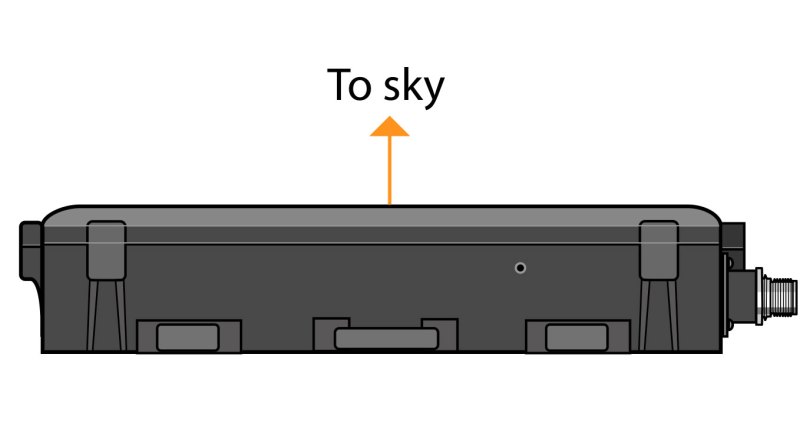 Providing the DCM a clear view of the sky is paramount for accurate GPS positioning.
Jim Hatch
Install the DCM
Providing the DCM a clear view of the sky is paramount for accurate GPS positioning.
Jim Hatch
Install the DCM
Use the four supplied stainless-steel screws to mount the DCM in a location that allows for optimal cellular and wireless sensor signals. A clear view of the sky is paramount for accurate GPS positioning. The DCM’s IPx7 waterproof rating allows for mounting flexibility. It can be mounted in an enclosed compartment as long as cellular, wireless and GPS performance isn’t compromised due to shielding material or interference from electronic equipment. For best performance, mount with the front cover facing up.
Read Next: Affordable Boat-Security Systems
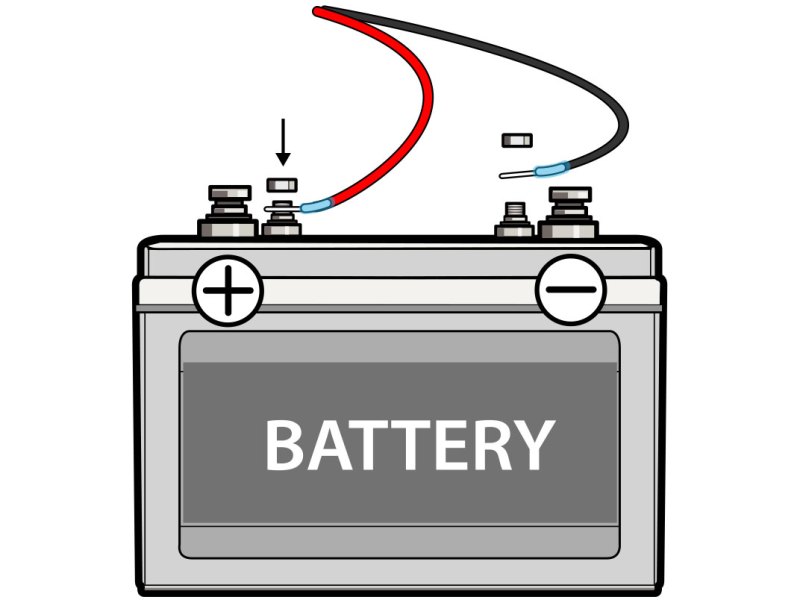 Refer to the installation guide for the proper wire connections.
Jim Hatch
Wire It Up
Refer to the installation guide for the proper wire connections.
Jim Hatch
Wire It Up
There are nine wires on the DCM harness. We used only the positive red wire (which includes a 5-amp inline fuse) connected directly to the positive terminal of the 12-volt house battery for battery monitoring and DCM functionality. The black wire connects to the negative terminal. (Refer to the installation guide for the optional functions of the other wires.) The DCM will run on its internal battery if the boat’s battery drops below 6 volts. Functionality is restored once the boat battery rises above 9 volts.
Tip: The DCM’s NMEA-2000 port connects via cable to the N2K network to view engine data and tank levels. With mechanical Yamaha outboards, this enables even more features.
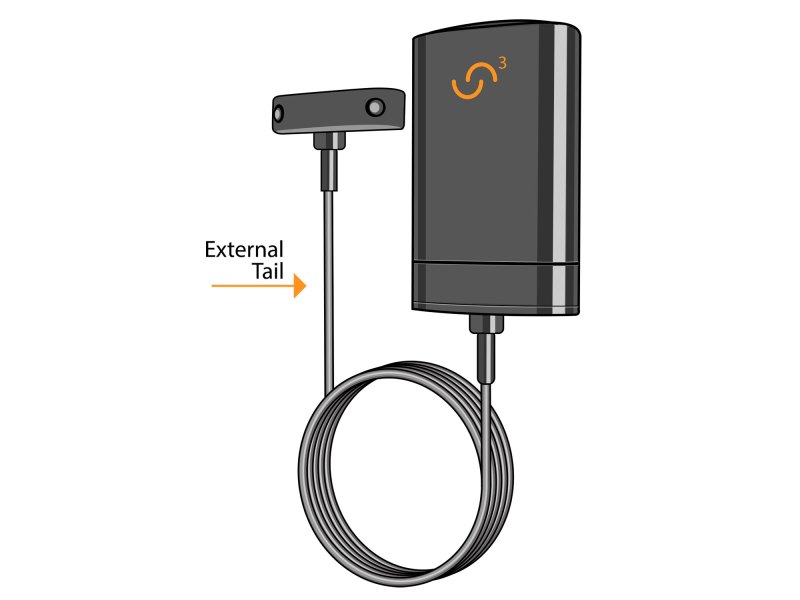 Carefully follow the installation guide supplied for each of the Siren 3 wireless sensors.
Jim Hatch
Install Sensors
Carefully follow the installation guide supplied for each of the Siren 3 wireless sensors.
Jim Hatch
Install Sensors
Each of the five types of similarly sized, waterproof sensors available requires a different installation. The high-bilge-water sensor has a detachable tail. The entry sensor pairs with a magnetic tab. Communication takes place between the DCM and wireless sensors via the proprietary SirenWAVE protocol. The DCM supports a maximum of six wireless sensors (not including the wired main battery sensor in the DCM). Carefully follow the installation guide supplied for each of the Siren 3 wireless sensors.
The post How to Install a Siren 3 Security System appeared first on Boating Mag.